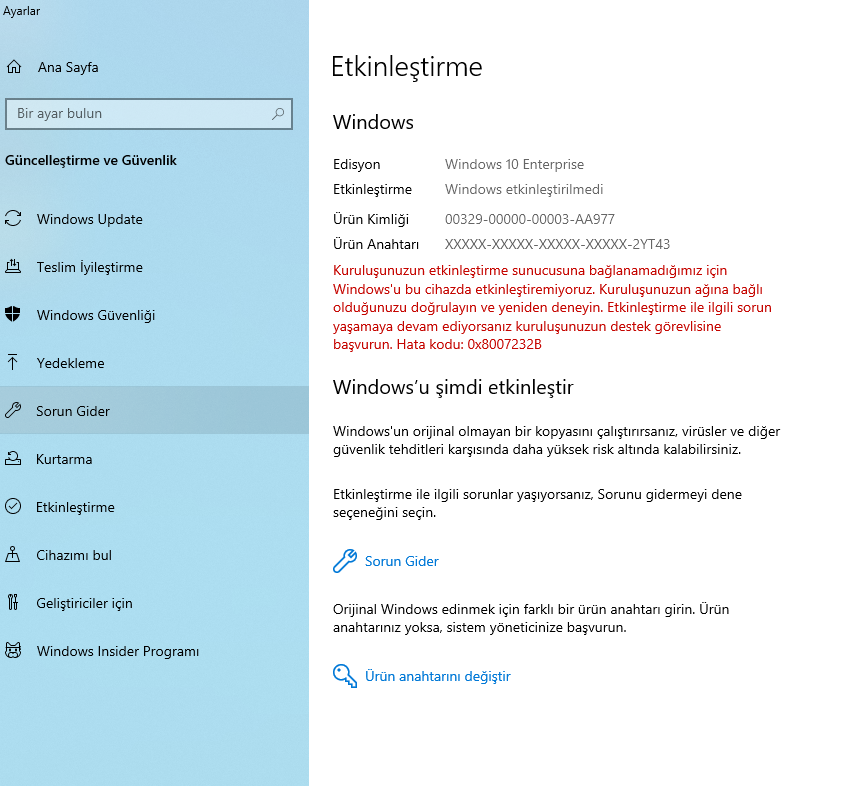
If you are unable to activate Windows as shown in the image below using your university email account (posta.pau.edu.tr) obtained from your university.
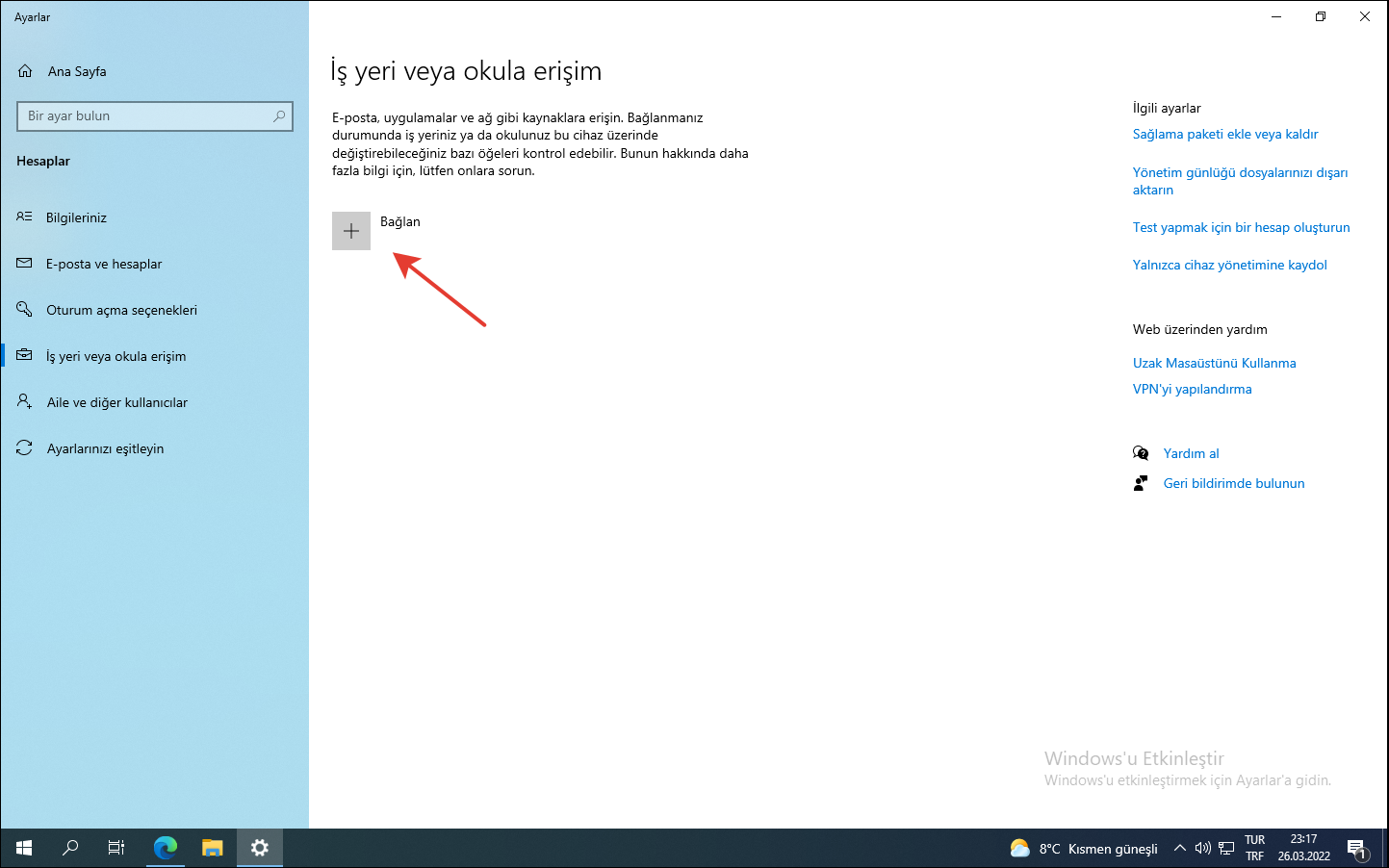
Go to the Accounts section, then under Access work or school, click the Connect button and proceed to the next step.
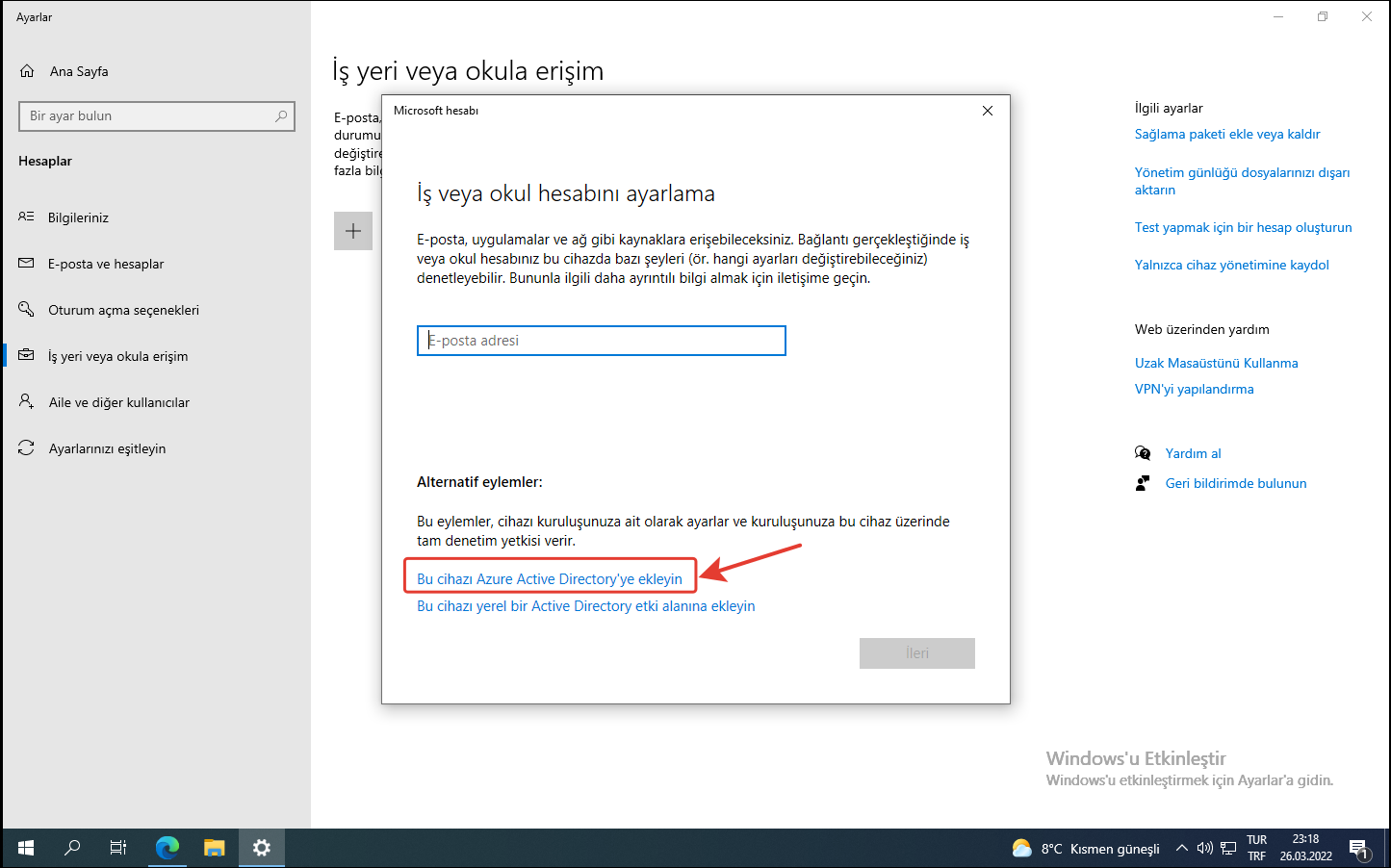
As shown in the image below, click the “Join this device to Azure Active Directory” link.
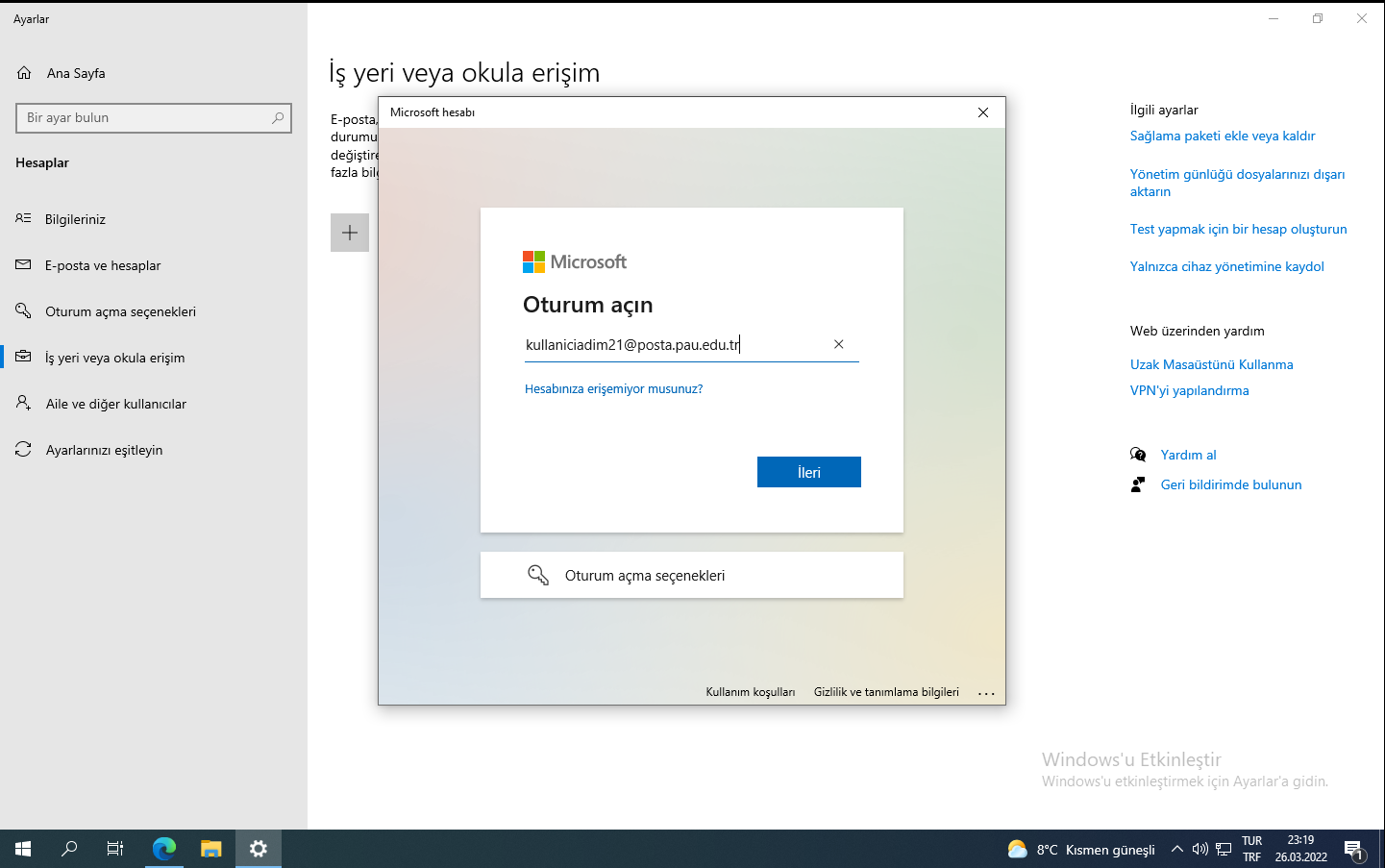
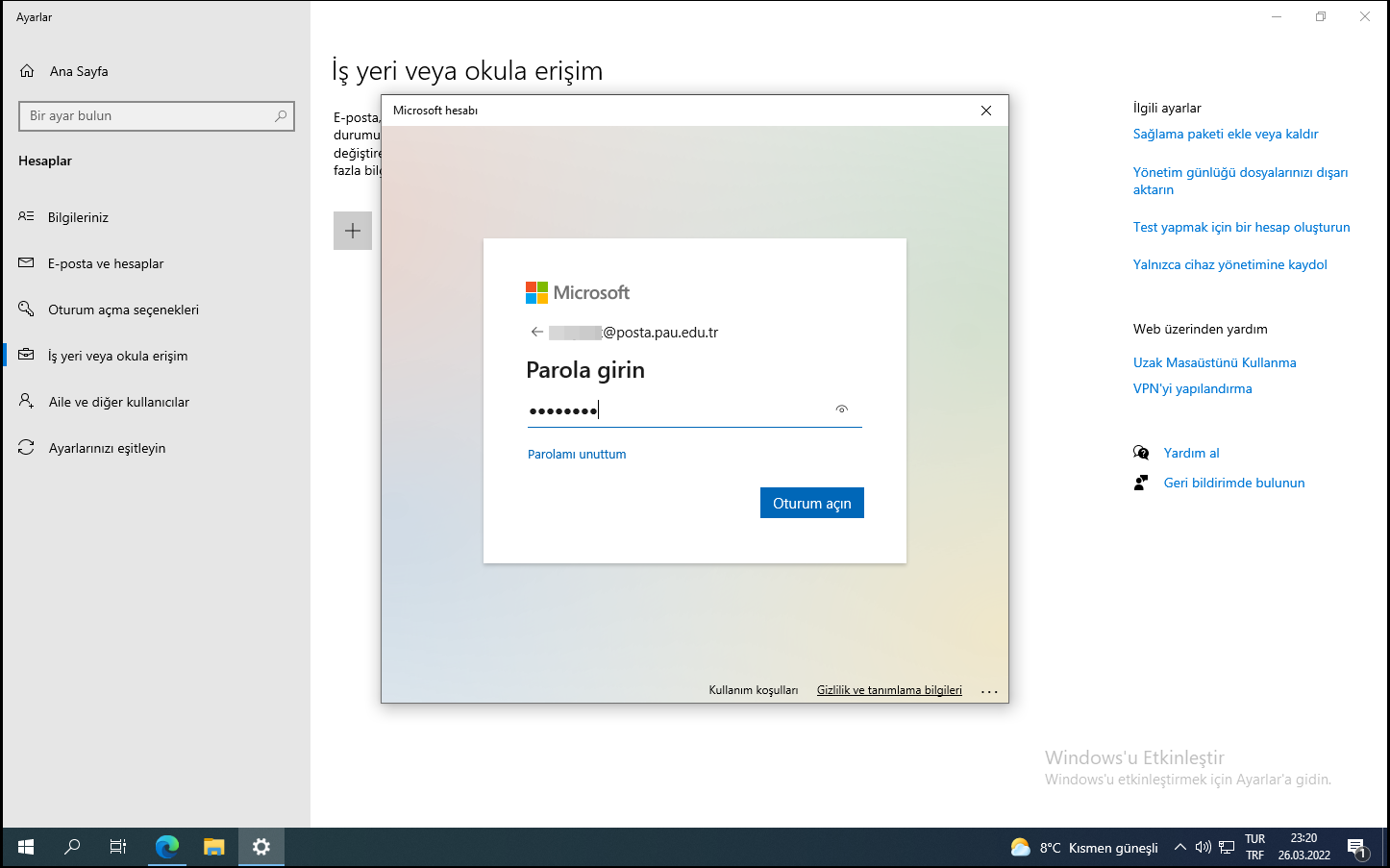
On the page that opens, enter your username in the format username@posta.pau.edu.tr as shown in the image below, then click Next.
Enter your password.
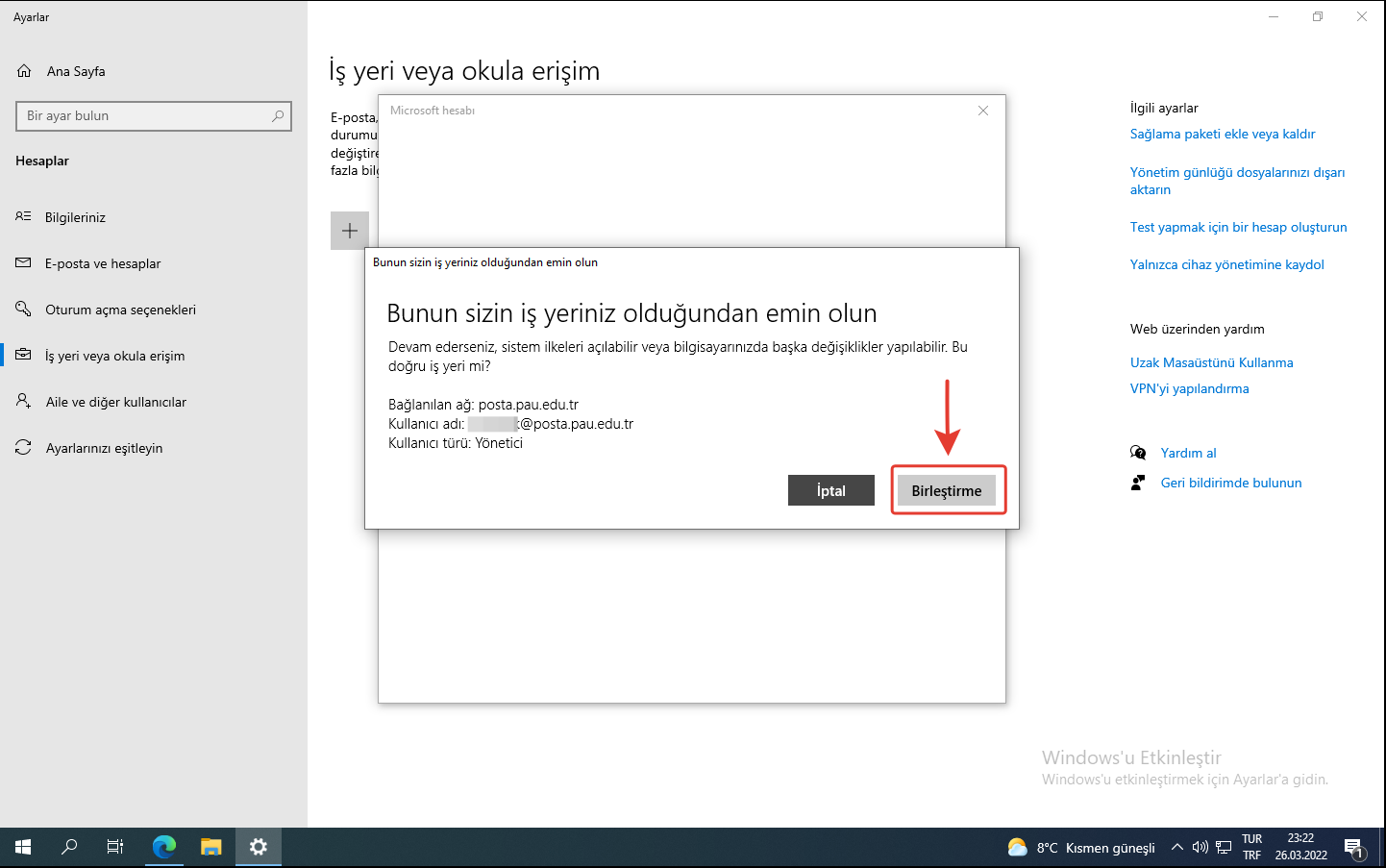
As shown in the image below, click the Join button.
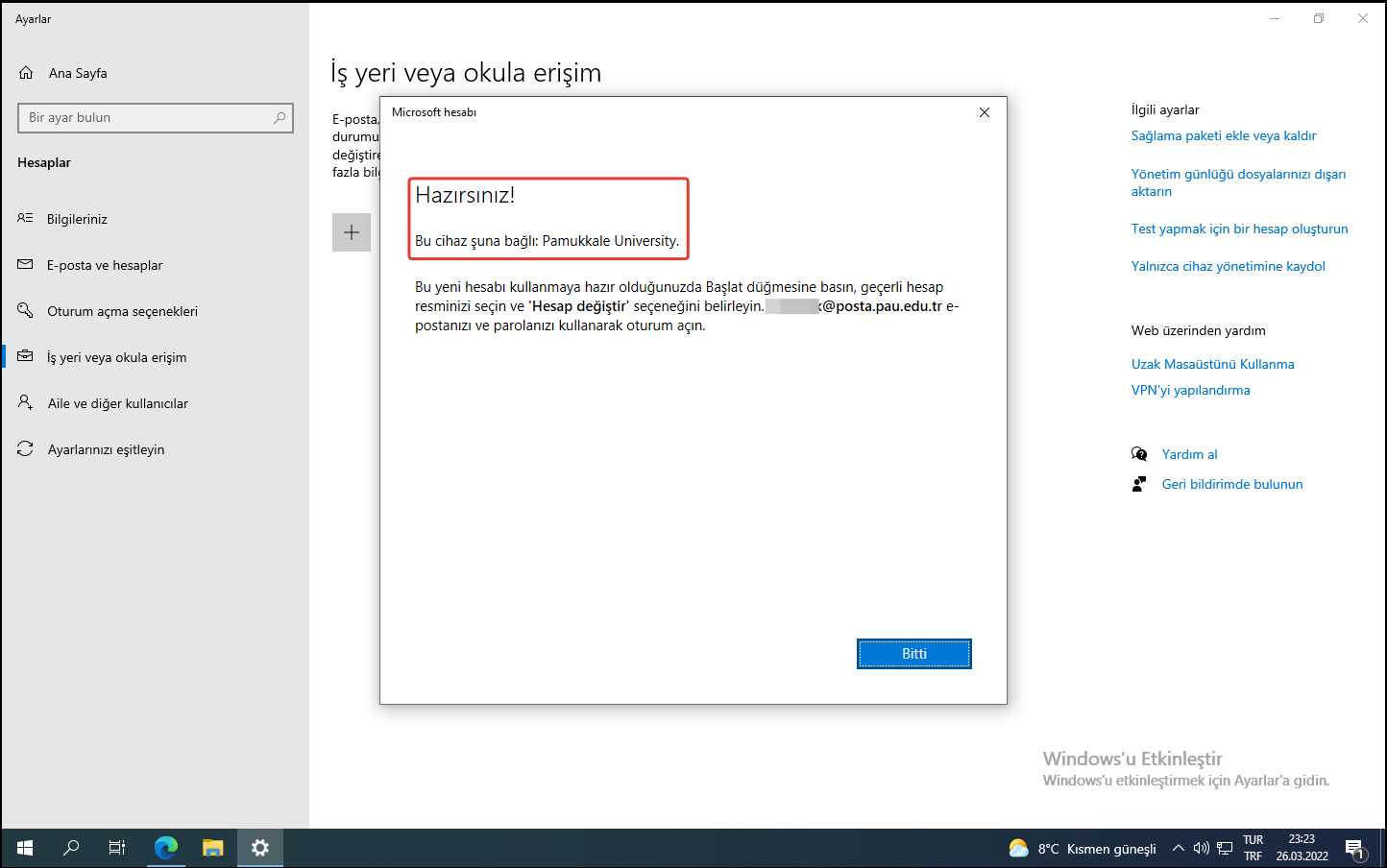
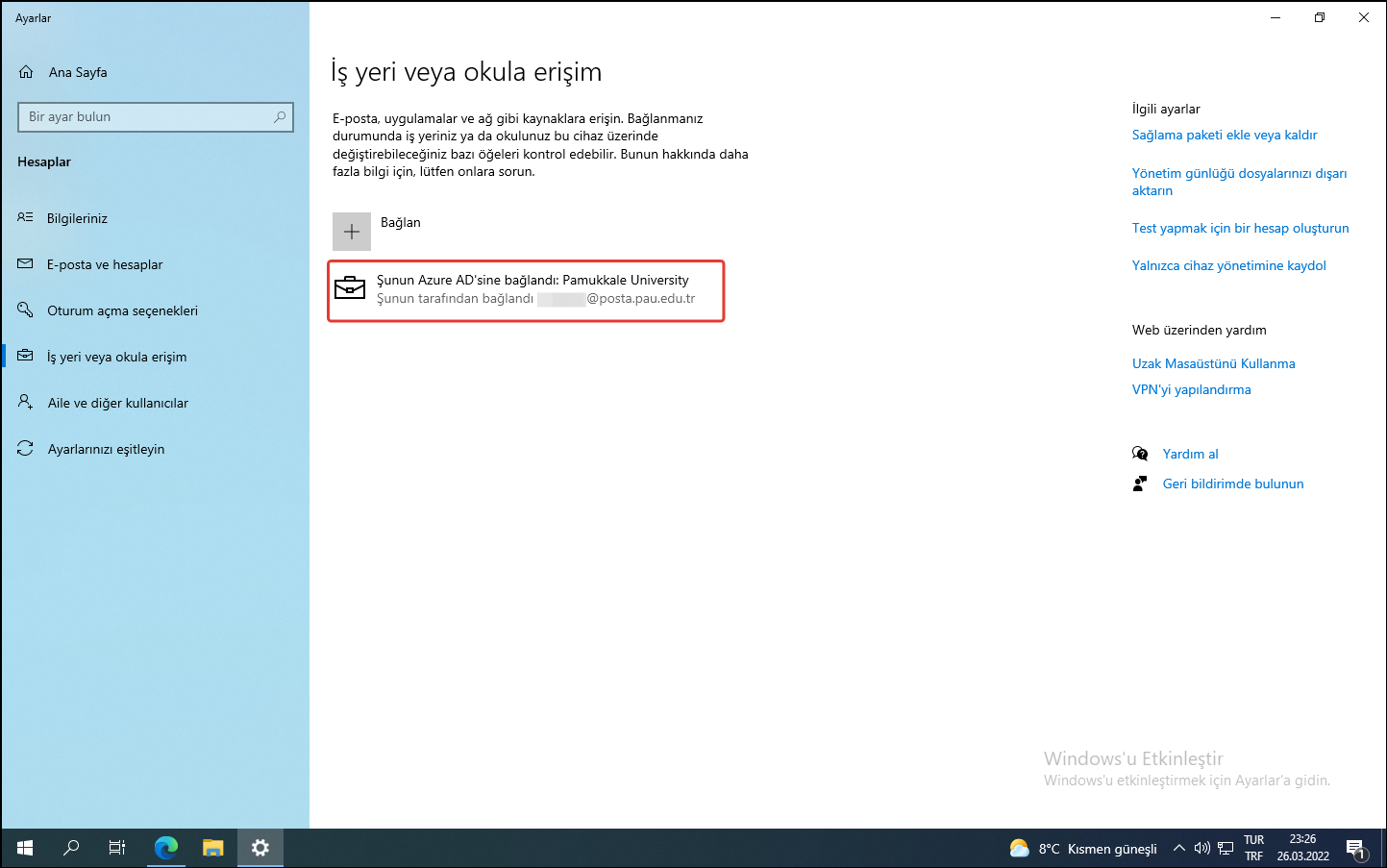
Your Windows will be activated automatically.
If you encounter any issues, you can contact the Information Technology Call Center and reach the Systems Unit, or send an email to bidb@pau.edu.tr.